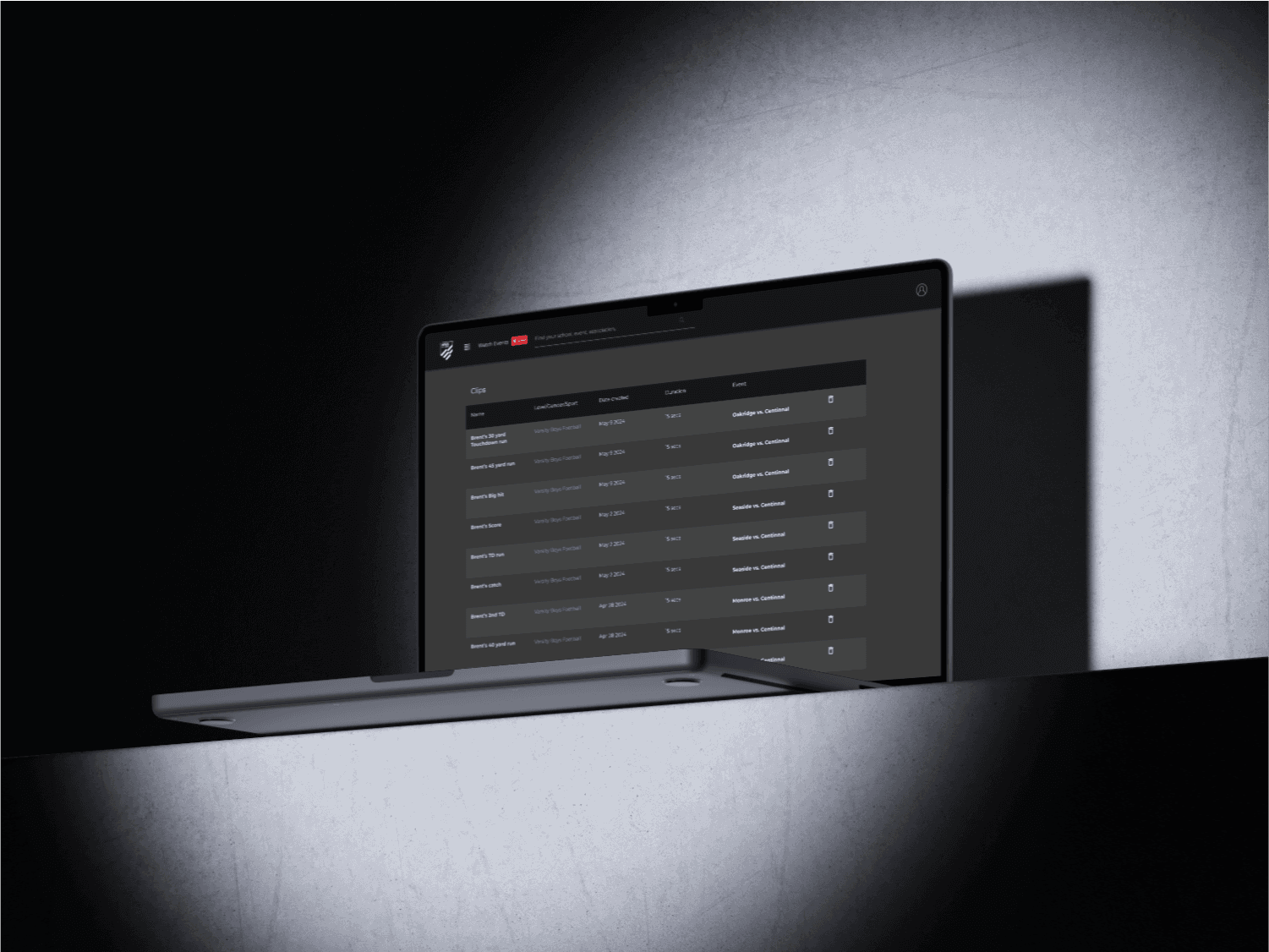
With the rise of user-generated content, NFHS Network wanted to create a feature for users to capture, edit, and share clips from their favorite games. My role was to design an intuitive and engaging clip creation experience. This project remains in progress with additional features and improvements based on user feedback.
My Approach
The focus was on creating a simple yet powerful clip creation tool that anyone could use. We built a streamlined interface to guide users through selecting, editing, and sharing their favorite moments from live events, without needing extensive video editing knowledge.
Vision and Innovation
We envisioned a user-friendly clip creation tool that allowed fans to seamlessly capture and share key moments. The design was centered around simplicity, ensuring users could create and edit clips with minimal friction.
Identifying Unique Challenges
A significant challenge was ensuring users knew about the clip creation feature and how it related to their subscription. Additionally, we needed to streamline the editing process so that even novice users could create clips with ease.
Resolving Complex Problems
To address these challenges, we incorporated clear tooltips and guides in the clip creation modal. We also implemented a confirmation dialog that allowed users to easily share their clips or mark the benefiting team as a favorite, creating a more personalized experience.
User-Centric Design
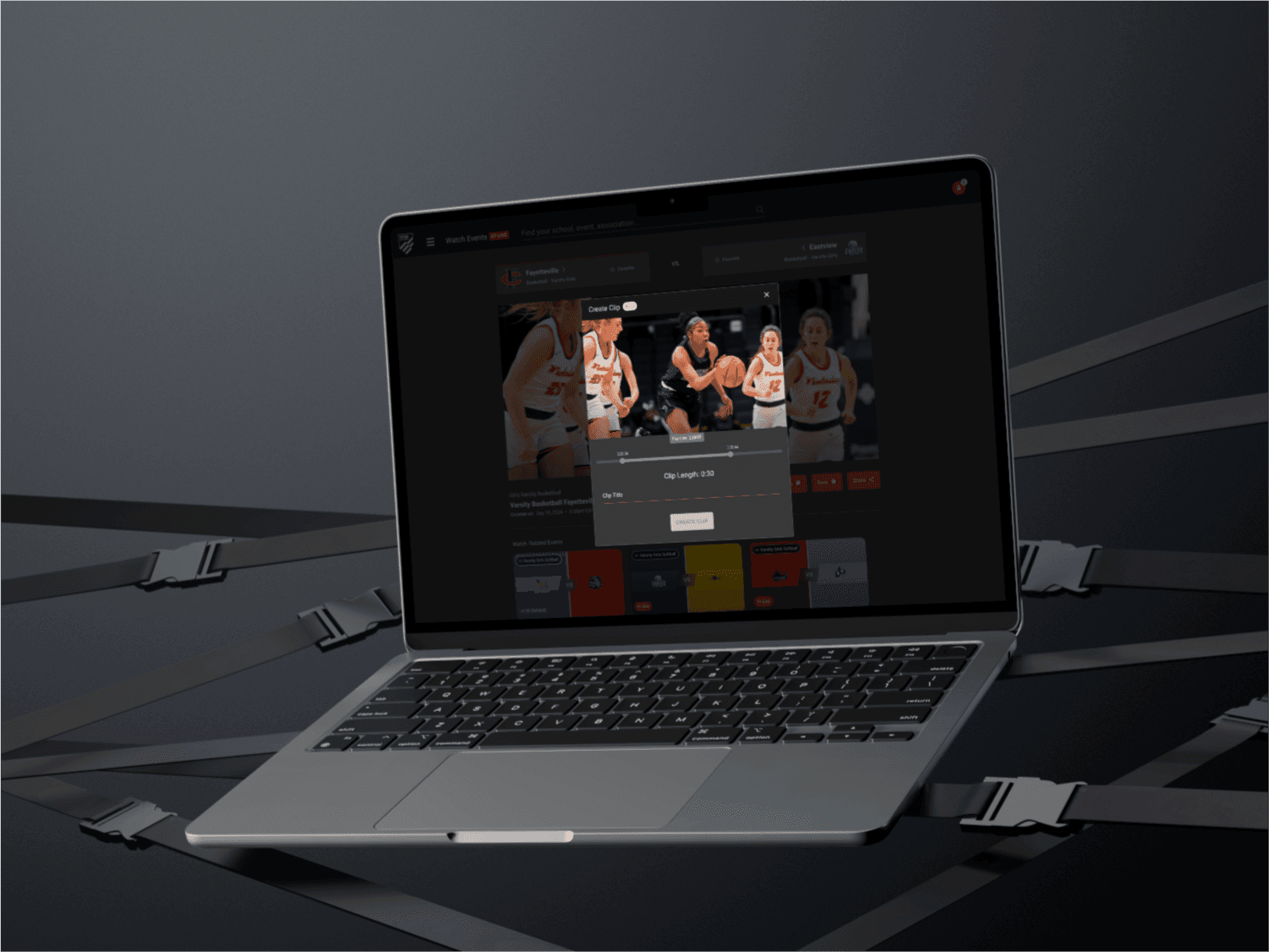
The clip creation modal was designed to be clean and easy to navigate. We used sliders to help users pinpoint the start and end of their clips, with preview functionality to refine the editing. The process was broken down into simple steps, ensuring clarity throughout.
Meeting User Needs
The responsive design ensured that users could create and share clips from any device. The workflow was designed to be intuitive, providing clear instructions and tooltips where necessary, so even first-time users could enjoy the feature.
Detailed Pages and Features
Clip Creation Modal: A clean and intuitive interface that allows users to select, edit, and preview their clips with easy-to-use sliders for defining start and end points.
Metadata: Includes clip name, and timestamps for easy identification of clips. Users can eventually mark clips with tags such as "scoring play" or "defensive play."
Confirmation Dialog: After creating a clip, users are given a quick option to generate a shareable link or favorite the team associated with the clip.
Favorites Prompt: An integrated feature asking users if they'd like to mark a team as a favorite during or after the clip creation process, enhancing personalization.
Clip Sharing: A one-click option to share the created clip with others, encouraging engagement and content sharing.
Accessibility and Optimization
The clip creation feature is designed with accessibility in mind, supporting screen readers, keyboard navigation, and high-contrast modes. The interface is responsive, allowing users to create clips on any device. Additionally, the platform is optimized for performance, ensuring that the clip creation experience is fast and smooth across different network conditions. SEO optimizations ensure that user-generated content can be easily found and shared.
Conclusion
The clip creation feature on NFHS Network has transformed how users interact with content, giving fans a platform to capture and share key moments. As we continue refining the experience based on feedback, this feature will further enhance fan engagement and content sharing on the network.